
Direct handoff
SYS-1
A1A2
Direct
N1N2
Two 99.99% paths feed two 99.995% paths through a one-to-one Direct handoff.
Download SYS-1 SLO/SLA Calc
iPhone and iPad · Version 1.5
Know the Device. Build the System. Evaluate the Mission.
Expose every Device assumption, carry its availability and MTBF into reusable topologies, and estimate whether the complete design can finish a time-bound mission without interruption.
What’s new in 1.5
Version 1.5 makes Device Availability auditable, preserves MTBF provenance through reusable designs, and adds a distinct non-repairable Mission Reliability model.
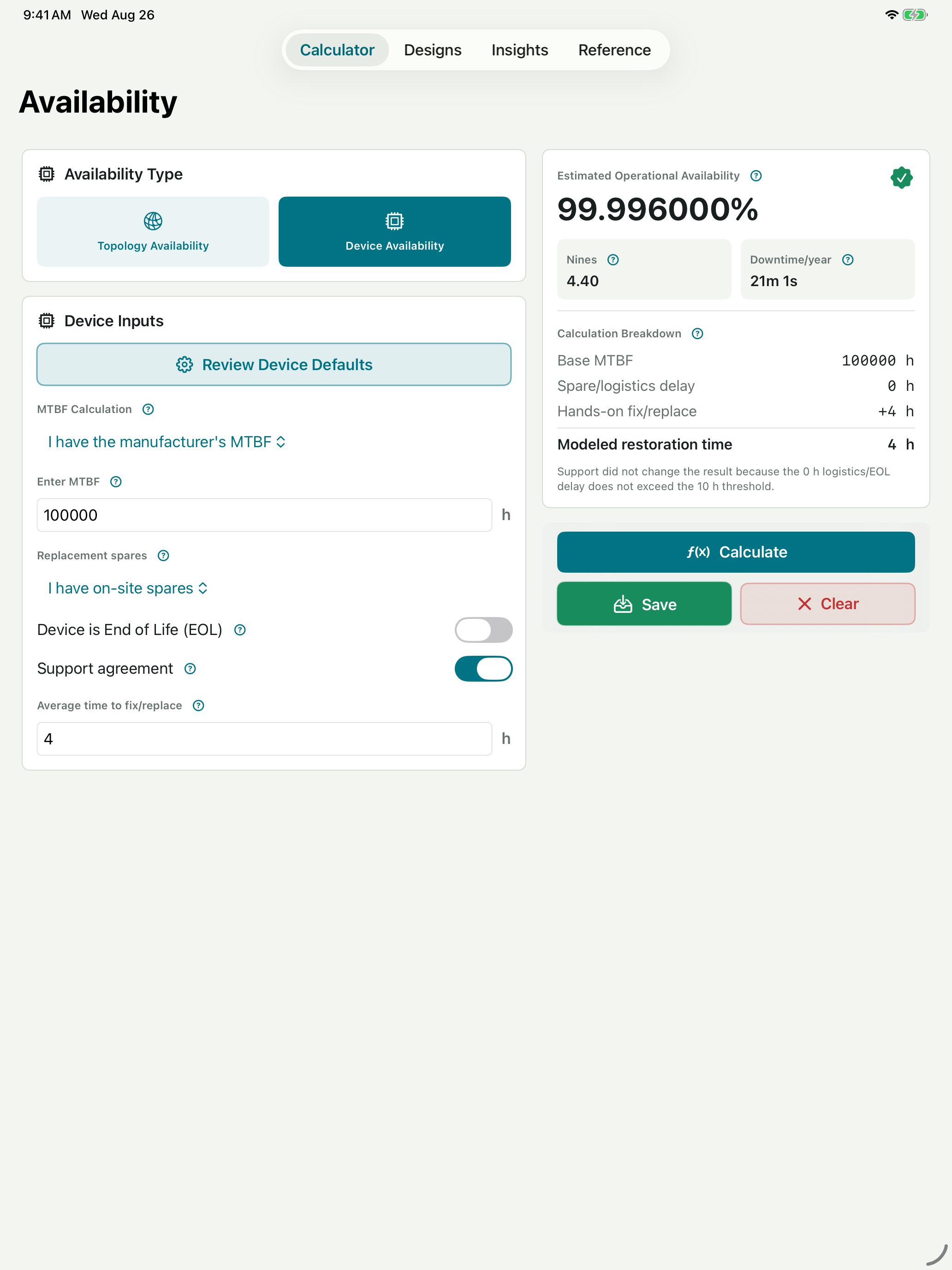
.slosla files.Transparent Device Availability
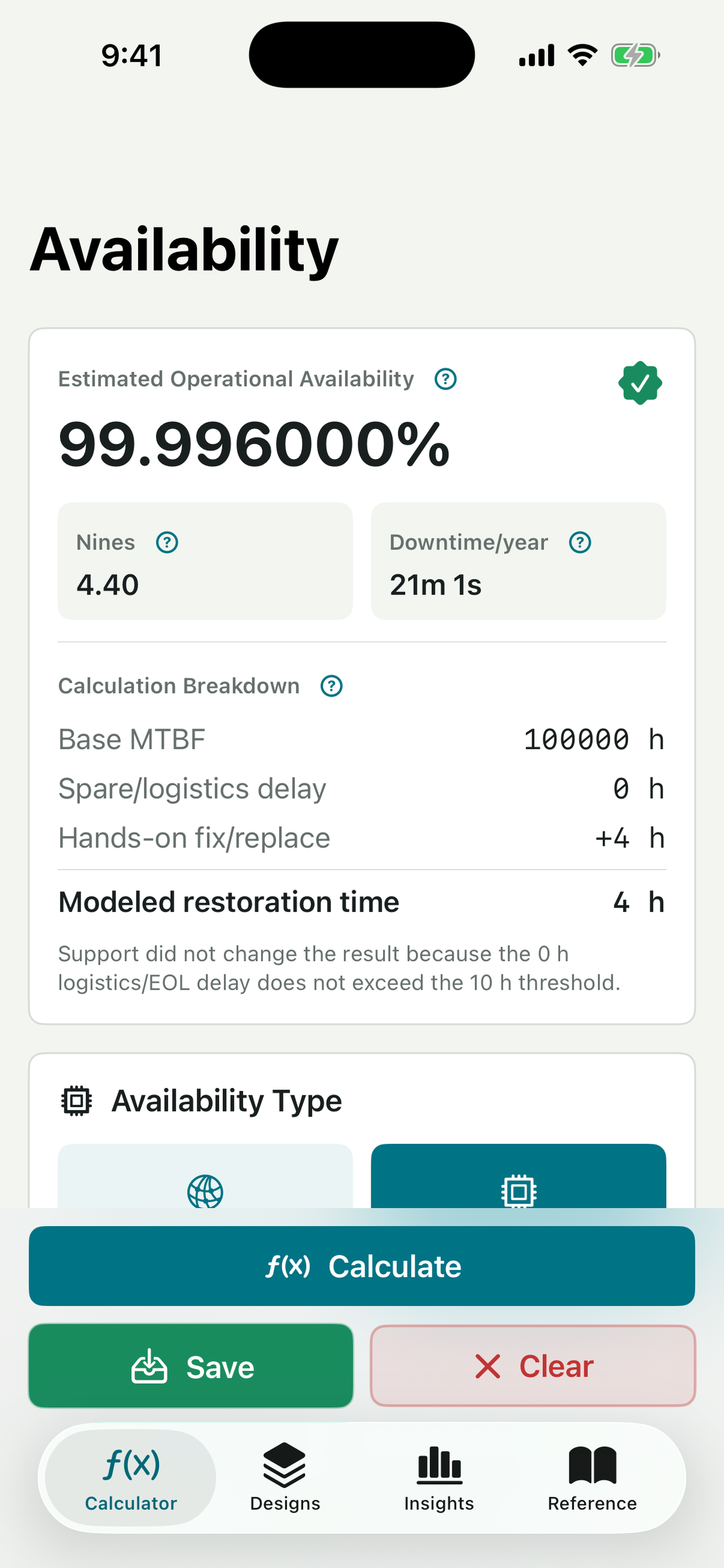
Start with manufacturer MTBF or a documented generic estimate. Then see how redundant power, spares, logistics, EOL sourcing, support, and hands-on repair time affect the result.
Support benefits are applied only when their configured threshold is met, and every assumption remains visible in the calculation breakdown.
Reusable Device data
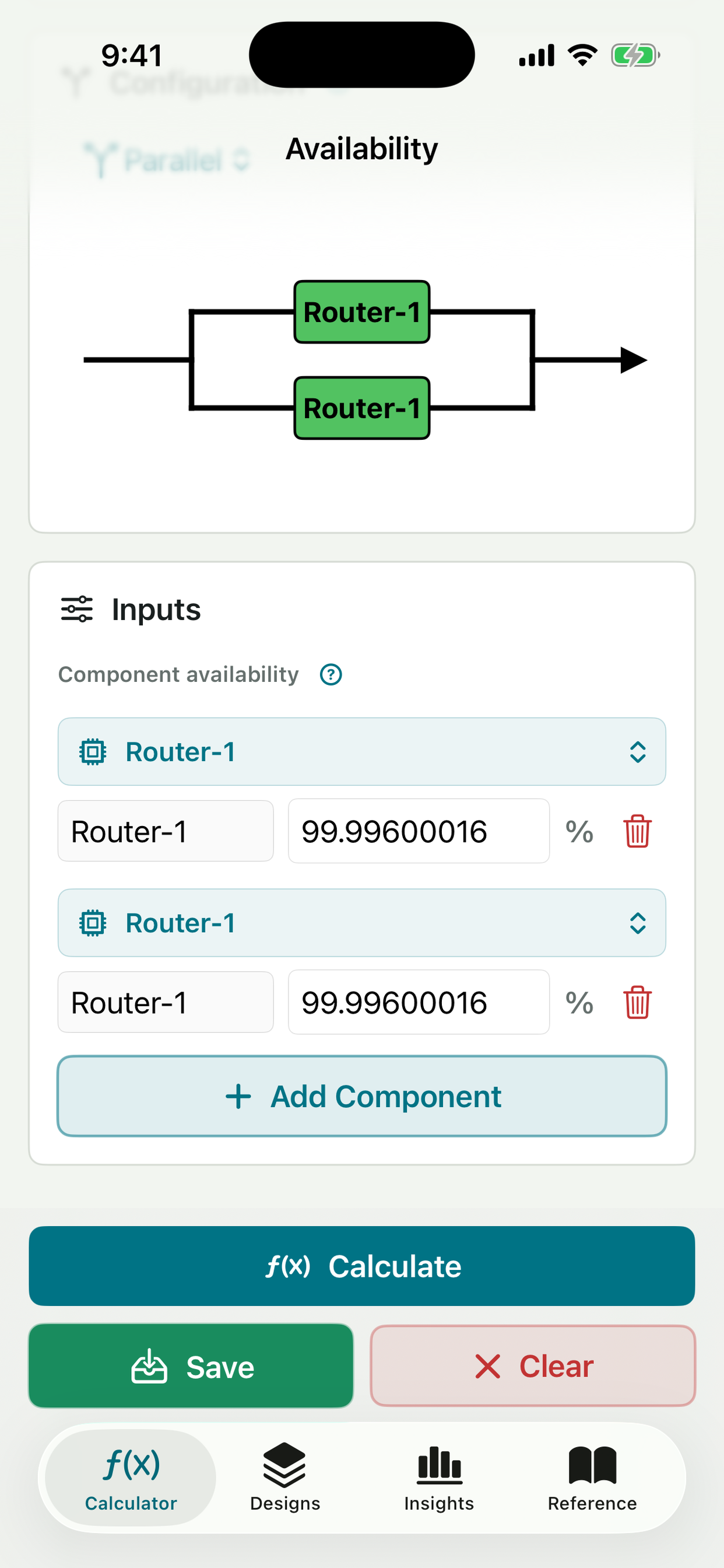
Save a Device by name, then select it directly in a Series, Parallel, N:M, or Cross-Connected Component row.
The Component receives a snapshot of the Device name, calculated availability, MTBF, and source so the larger design remains reproducible.
Mission Reliability
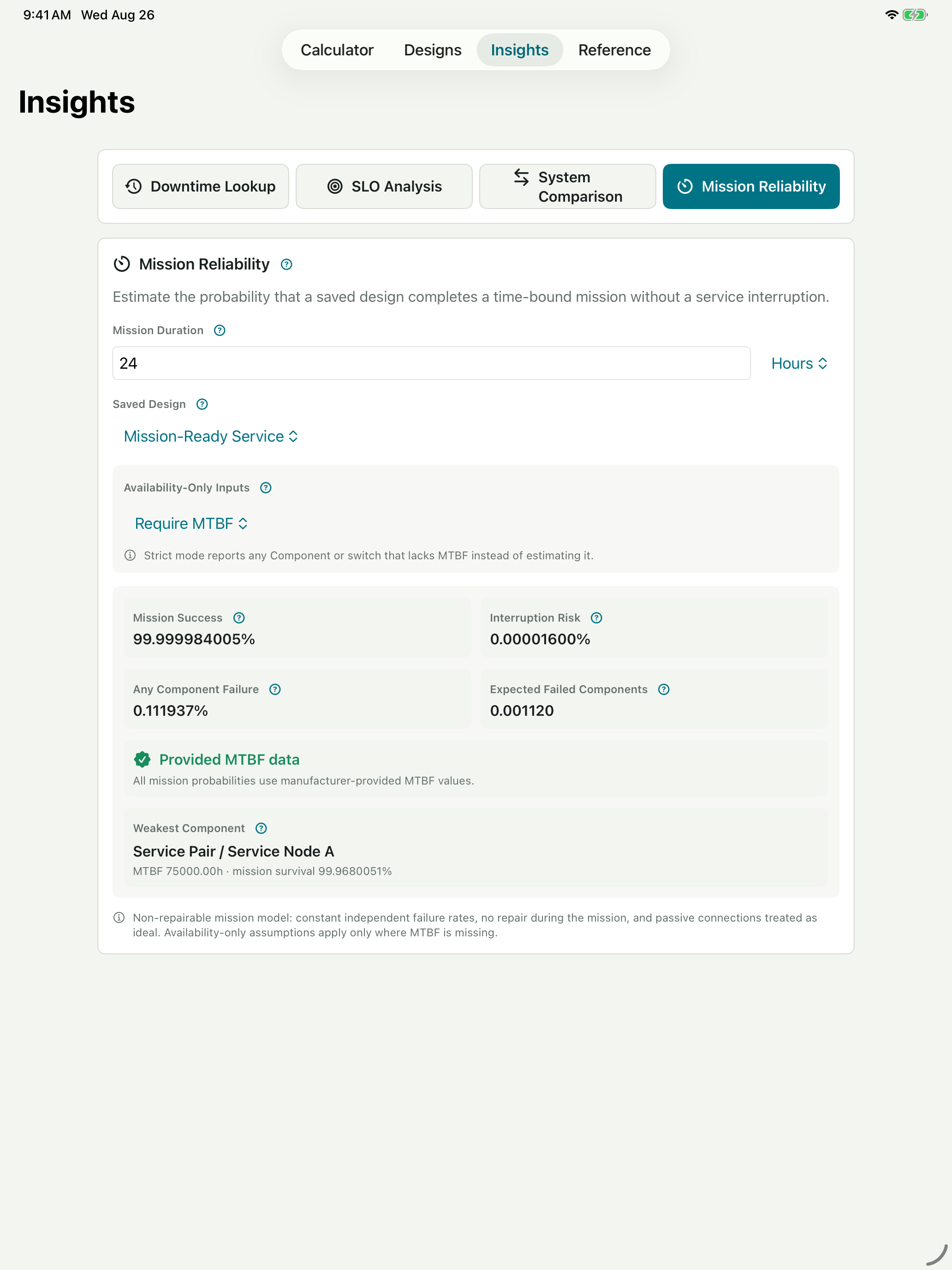
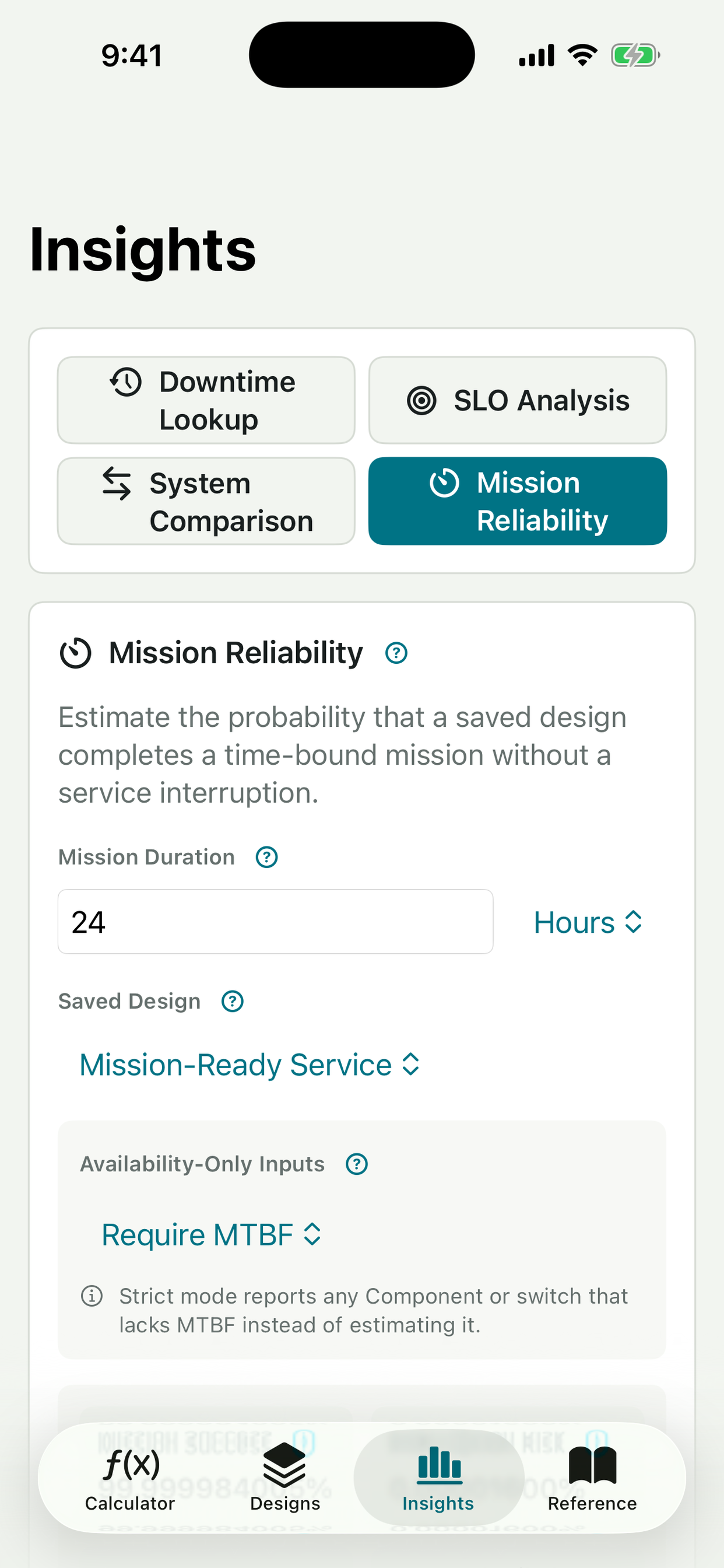
Availability measures service over time with restoration. Mission Reliability estimates uninterrupted success during one bounded period with no repair during the mission.
Use stored MTBF when available, or explicitly choose an approximation for availability-only inputs. The app labels the data quality and identifies the weakest contributor.
Live Modeling
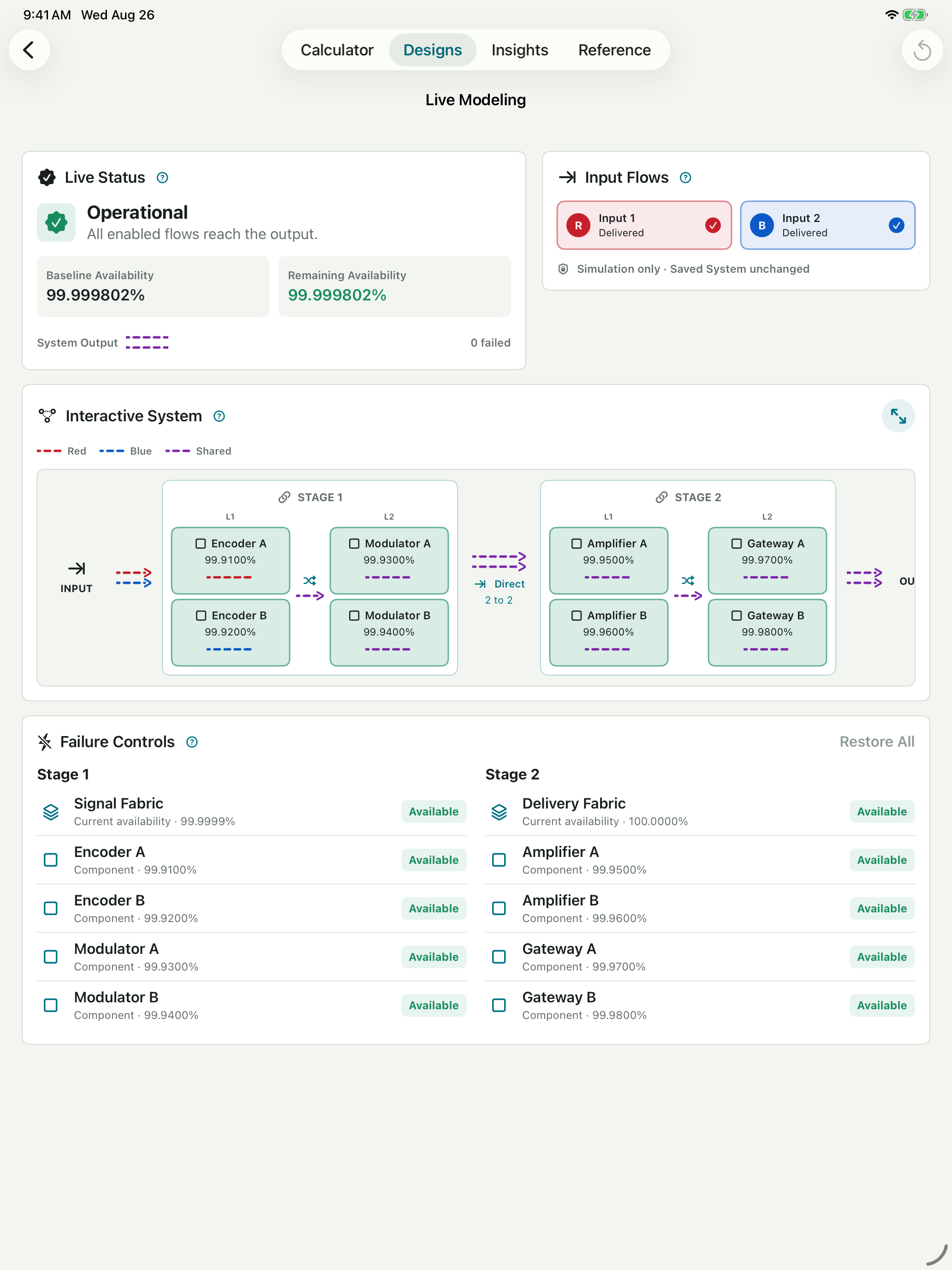
Apply temporary Block, Component, and switch failures without changing the saved design. Remaining Availability and service delivery recalculate immediately.
Animated Red and Blue paths show which inputs survive. Shared connections become Purple, and a single-output switch selects one healthy handoff.
Compare design outcomes
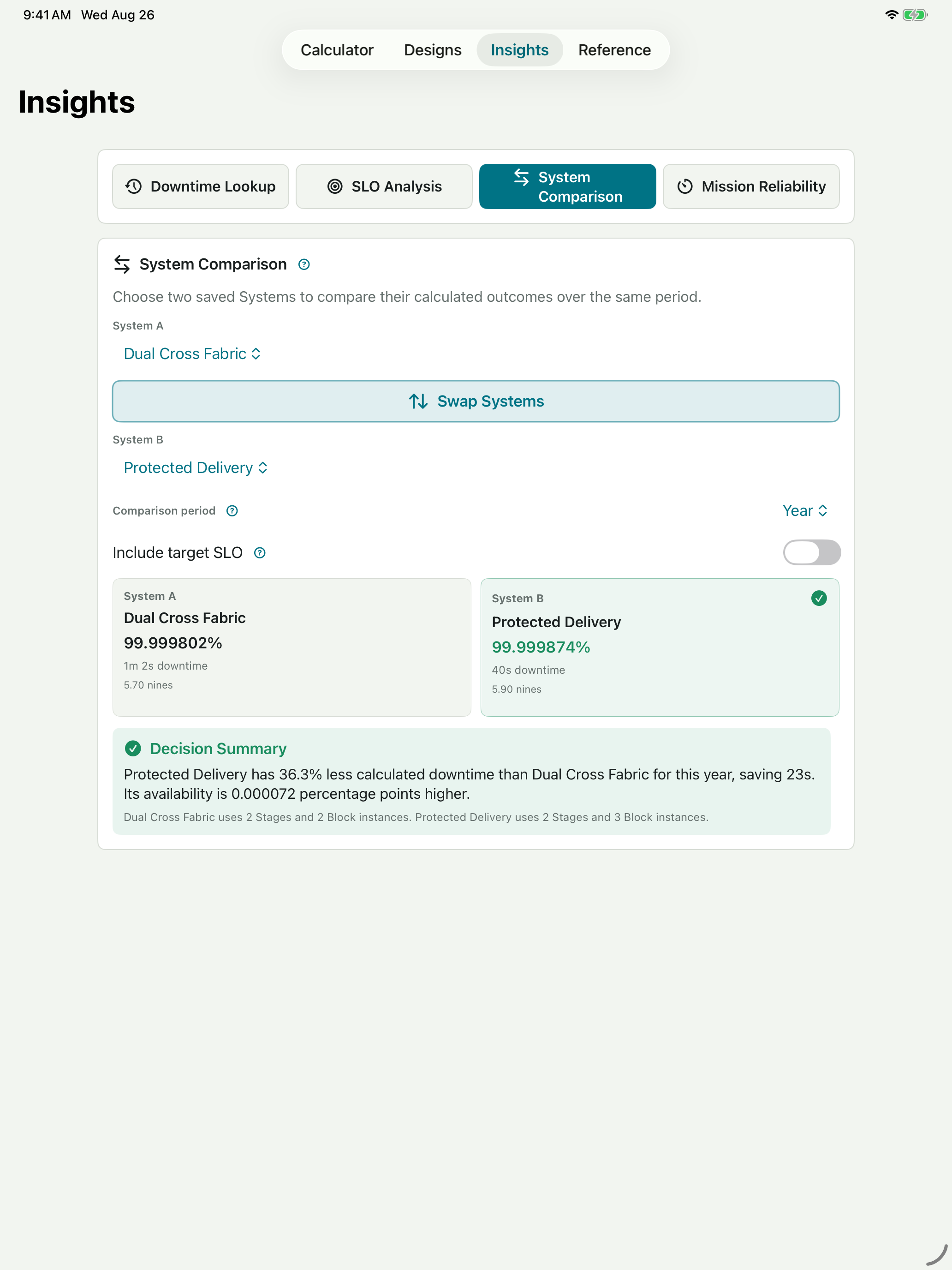
Compare two saved Systems over the same period to see availability difference, downtime reduction, and design size.
Add an optional SLO to see which alternatives meet the target while detailed error-budget analysis remains available in Insights.
Example lab
These compact reference designs demonstrate the portable .slosla model and a topology detail that only becomes visible at very high availability.
Direct handoff
Two 99.99% paths feed two 99.995% paths through a one-to-one Direct handoff.
Download SYS-1Fully Cross-Connected
Four 99.99% Blocks remain available through a Fully Cross-Connected Handoff.
Download SYS-2Version 1.5 walkthrough
Follow the path from a transparent Device calculation into a reusable Parallel topology, a time-bound Mission Reliability result, Live Modeling, and an evidence-based System comparison.
Get SLO/SLA CalcComplete toolkit
Calculate Series, Parallel, N:M, and Cross-Connected configurations with individual Component availability.
Use manufacturer MTBF or a documented generic estimate and inspect every restoration-time assumption behind the result.
Carry saved Device names, availability, MTBF, and data source into topology Components and portable System files.
Estimate uninterrupted success over a bounded mission using stored MTBF or an explicit availability-only assumption.
Review interruption risk, expected failures, any-Component failure probability, weakest contributor, and input data quality.
Translate any availability percentage into downtime per day, week, month, or year.
Compare a saved design with its target SLO and interpret remaining or exceeded downtime budget.
Compare two complete Systems and quantify availability improvement, downtime reduction, and design complexity.
Fail Blocks, internal Components, and switches while Remaining Availability and service delivery update in real time.
Expand Live Modeling into a dedicated interactive view that adapts to portrait or landscape on iPhone and iPad.
Trace Red and Blue through surviving paths; Purple identifies a connection carrying both inputs.
Share, export, preview, and safely import complete .slosla designs without overwriting local work.
Represent a deliberate passive bypass explicitly without turning every 100% Block into a non-failable element.
Verify the continuous architecture, then share availability, downtime, Block snapshots, and the diagram as a PDF.
Follow Device reuse, RBD translation, Stage handoffs, Live Modeling, SLO, comparison, and Mission Reliability workflows.
Calculations and saved designs remain on the device. Files leave only when you choose to export or share them.
iPhone and iPad
Focused navigation on iPhone, expanded decision context on iPad. Version 1.5 keeps the assumptions, topology, mission result, and comparison readable at each step.
How it works
Model the Device. Choose the MTBF source, enter restoration inputs, and verify the complete calculation breakdown.
Save the evidence. Preserve the Device name, availability, MTBF, source, and assumptions in a reusable Block.
Translate the RBD. Arrange required dependencies in Series, independent alternatives in Parallel, and capacity or cross-connect behavior explicitly.
Connect the Stages. Use ordered Stages, Parallel Groups, Direct handoffs, Full Cross handoffs, and optional output switches.
Test resilience. Run Live Modeling, fail Blocks or Components, and watch the surviving paths and Remaining Availability.
Evaluate the mission. Set a duration and review Mission Success, Interruption Risk, expected failures, and data quality.
Compare and share. Check SLO fit, compare alternatives, generate a PDF, or export an editable .slosla System.
Private by design
SLO/SLA Calc works offline and does not collect analytics, show ads, track users, or automatically send calculations and saved designs to a server. PDF and .slosla files leave only when you choose to export or share them. Read the privacy policy.
Support
Email support@sloslacalc.app. Practical feedback from engineers, architects, and operators directly shapes the app.